Wix vs Squarespace vs Hiring a Designer: Which Is Actually Best for Small Businesses in 2026?
Published by FREEWebsites.help | Reading Time: 8 minutes
If you’ve been trying to figure out how to get your business online, you’ve probably already faced the big question: Should I use Wix? Squarespace? WordPress? Or just hire someone?
You’ve probably also noticed that everyone seems to have a strong opinion about this — and most of those opinions are written by people selling you something.
This guide isn’t going to tell you one platform is perfect. It’s going to give you the honest comparison so you can make the right choice for your business. And at the end, we’ll show you an option most people don’t even know exists that beats all three on cost, quality, and simplicity.
The Four Main Options (And Who They’re Actually For)
Option 1: Wix
Best for: Hobbyists, personal projects, people with lots of free time
Wix is the most heavily advertised DIY website builder on the market. You’ve seen the commercials. The pitch is simple: drag, drop, done.
The reality is more complicated.
What Wix gets right:
- Large template library
- Beginner-friendly interface
- No coding required
- Free plan available (with limitations)
What Wix gets wrong:
- The free plan forces a Wix-branded subdomain (
yourbusiness.wixsite.com) — which looks unprofessional and hurts SEO - Paid plans start at $17/month and climb quickly once you add features
- Wix sites are notoriously slow, and page speed is a direct Google ranking factor
- Template designs look generic and “builder-made” — customers can often tell
- You can’t migrate your site away from Wix if you ever want to switch platforms
- You’re doing all the work yourself, which takes hours you probably don’t have
True annual cost: $204–$500+/year (plus your time, which is worth money)
Option 2: Squarespace
Best for: Creative professionals, photographers, designers who want a polished portfolio
Squarespace has the best-looking templates of the major builders. If aesthetics are everything and you have time to learn the platform, it can produce beautiful results.
What Squarespace gets right:
- Genuinely beautiful template designs
- Good built-in e-commerce features
- Reliable uptime and hosting
- Better SEO tools than Wix
What Squarespace gets wrong:
- Steeper learning curve than Wix — expect to spend a weekend (minimum) building your site
- Plans start at $16/month and quickly rise to $23–$49/month for business features
- Less flexible than WordPress for custom functionality
- You’re still doing all the work yourself
- Limited customization if you want something beyond the templates
True annual cost: $192–$588+/year (plus your time)
Option 3: WordPress
Best for: Tech-savvy users, bloggers, businesses with ongoing content needs
WordPress powers about 43% of all websites on the internet. It’s powerful, flexible, and has an enormous ecosystem of themes and plugins.
What WordPress gets right:
- Unmatched flexibility and customization
- Excellent SEO capabilities (especially with Yoast or Rank Math)
- Huge community and plugin library
- You own your site completely
What WordPress gets wrong:
- Steep learning curve — expect days or weeks to get comfortable
- You need to manage hosting, security, updates, and backups separately
- Cheap hosting ($3–$5/month) = slow, unreliable sites; good hosting costs $20–$50/month
- Premium themes cost $40–$100+; premium plugins add up fast
- Security vulnerabilities require constant maintenance
- Without a developer, most WordPress sites end up looking… fine. Not great.
True annual cost: $300–$1,200+/year (plus significant time investment)
Option 4: Hiring a Freelancer or Agency
Best for: Established businesses with budget and specific technical needs
This is the gold standard for quality — but it comes with gold-standard pricing.
What hiring a pro gets right:
- Completely custom design tailored to your brand
- Technical expertise you can rely on
- They handle everything — you just review and approve
- Professional results that DIY tools can’t match
What hiring a pro gets wrong:
- Cost: freelancers run $1,500–$5,000+ for a basic business site; agencies charge $5,000–$50,000+
- Long timelines: 4–12 weeks is typical
- Ongoing costs for updates, changes, and maintenance
- Quality varies wildly — a $2,000 freelancer might deliver worse results than a $500 one
True cost: $1,500–$50,000+ upfront, plus $100–$500+/month for ongoing maintenance
The Comparison at a Glance
| Wix | Squarespace | WordPress | Agency | |
|---|---|---|---|---|
| First-year cost | $204–$500 | $192–$588 | $300–$1,200 | $1,500–$50,000+ |
| Design quality | ★★★☆☆ | ★★★★☆ | ★★★☆☆ | ★★★★★ |
| Time investment | High | High | Very High | Low |
| SEO capability | ★★☆☆☆ | ★★★☆☆ | ★★★★★ | ★★★★★ |
| Mobile optimization | ★★★☆☆ | ★★★★☆ | ★★★☆☆ | ★★★★★ |
| Technical skill needed | Low | Medium | High | None |
The Option Nobody Talks About: Free Professional Design + Affordable Hosting
Here’s where most “comparison” articles stop — but we’re going to introduce you to an option most small business owners have never considered.
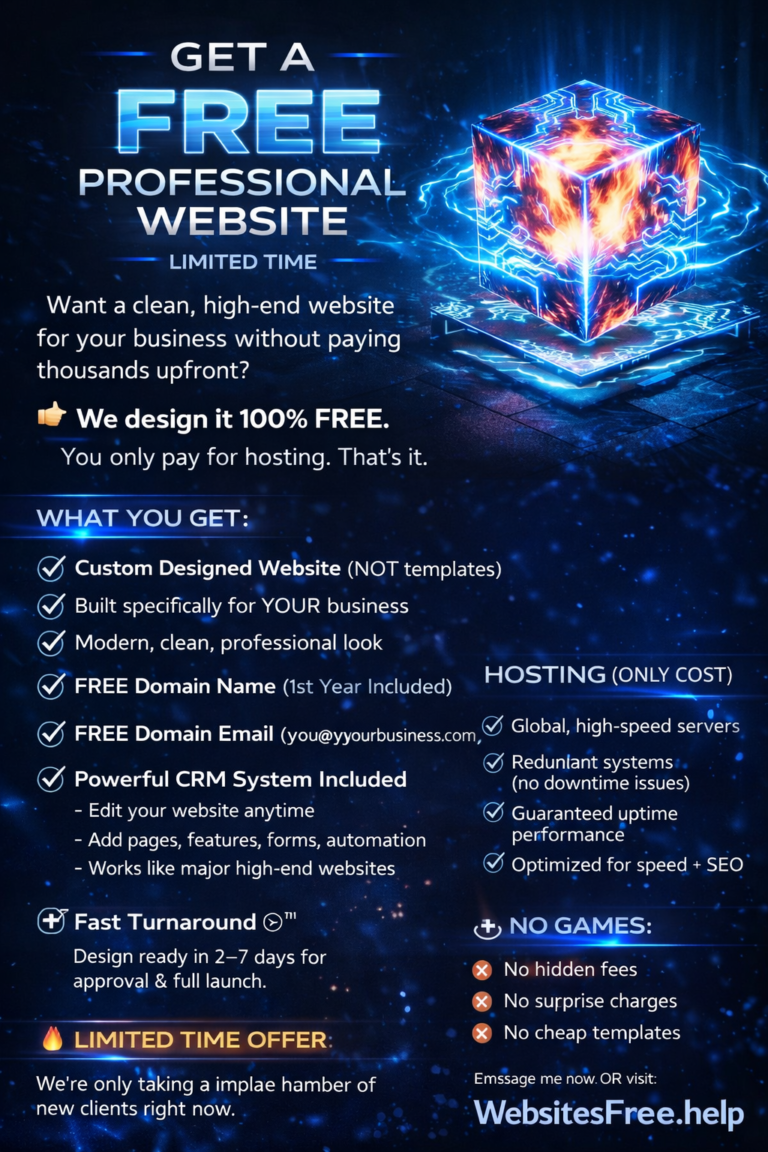
What if you could get agency-quality professional design without paying agency prices — or any design fees at all?
That’s exactly what FREEWebsites.help offers. The model is simple:
- Design: $0 — completely free, no catch
- Hosting: $9/month — less than any Wix or Squarespace paid plan
- Domain name (1 year): included
- Domain email: included
- SSL certificate: included
- Mobile-responsive design: included
- 35+ years of web design experience: included
You’re not using a template. You’re not dragging and dropping anything. A professional designer with three-plus decades of experience builds your site from scratch, tailored to your business, your industry, and your brand.
Most sites go live within 2–5 business days.
Updated Comparison: FREEWebsites.help vs The Rest
| Wix | Squarespace | WordPress | Agency | FREEWebsites.help | |
|---|---|---|---|---|---|
| First-year cost | $204–$500 | $192–$588 | $300–$1,200 | $1,500–$50,000+ | $108 |
| Design quality | ★★★☆☆ | ★★★★☆ | ★★★☆☆ | ★★★★★ | ★★★★★ |
| Time investment | High | High | Very High | Low | Minimal |
| SEO capability | ★★☆☆☆ | ★★★☆☆ | ★★★★★ | ★★★★★ | ★★★★★ |
| Mobile optimization | ★★★☆☆ | ★★★★☆ | ★★★☆☆ | ★★★★★ | ★★★★★ |
| Technical skill needed | Low | Medium | High | None | None |
| Your time to launch | Days–weeks | Days–weeks | Weeks | Weeks | Minutes |
5 Questions to Ask Before Choosing a Website Solution
1. Do you have time to build and maintain it yourself? If you’re running a business, the answer is usually no. DIY builders sound easy but routinely take 20–40 hours for a first-time user to produce a professional-looking result.
2. Will it look professional to a skeptical customer? Be honest with yourself. Template-based sites often look template-based. First impressions matter — 75% of users judge a company’s credibility by its website design.
3. Is it built for SEO from day one? Many DIY builders create technically bloated, slow sites that Google ranks poorly. Ask how your website will perform on Core Web Vitals.
4. What’s the true total cost over 3 years? Monthly fees add up. A Squarespace Business plan at $23/month costs $828 over three years — just for the platform. That doesn’t include any design work.
5. Who handles technical problems? When something breaks (and something always breaks), who do you call? With DIY platforms, you’re on your own.
Real Talk: Who Should Use Each Option
Use Wix if: You need something extremely basic, you have time to spare, and professional appearance isn’t critical to your business.
Use Squarespace if: You’re a creative professional who needs a beautiful portfolio and has several weekends to dedicate to building it.
Use WordPress if: You’re technically inclined, you need maximum flexibility, and you’re willing to invest significant time in learning and maintenance.
Use an agency if: You have a $10,000+ budget and need enterprise-level functionality.
Use FREEWebsites.help if: You want a professional, custom-designed website that actually looks great, goes live fast, and doesn’t drain your wallet or your weekends. Which, honestly, describes most small business owners.
The Bottom Line
The website builder industry has done a great job convincing small business owners that they have to choose between “cheap but mediocre” and “great but expensive.”
That’s a false choice.
Professional web design doesn’t have to cost thousands of dollars. And you don’t have to spend weeks learning a platform just to end up with something that looks like a template.
Get your free professional website at FREEWebsites.help →
Design is 100% free. Hosting starts at $9/month. Most sites live in 2–5 business days.
FREEWebsites.help has been designing professional websites for over 35 years. We’ve built websites for restaurants, contractors, real estate agents, fitness coaches, artists, non-profits, retailers, and hundreds of other small businesses. Design is always free — you only pay for hosting.